For the thoughtful planner
A planner that
stacks days into a life.
Day, Week, Month, Year, Projects, Routines, and Stats — each view scoped to the horizon that matters. Mood, sleep, and journal fields sit beside your tasks, so what you planned and what you felt stay in the same place.
Offline-first. Your data lives on your device and syncs when you reconnect. No empty templates to fill, no setup kata.
The name
A heap of days.
Cumulus is Latin for a heap, a pile, something built up. The root traces back to Proto-Indo-European *keu-, meaning to swell, to accumulate, and still lives in English words like accumulate and cumulative.
Meteorology borrowed the word in 1803, when Luke Howard named the big, soft, built-up clouds the way we still name them today. We kept both meanings. A planner is a cloud (your data, available wherever you go) and it is a heap (days, weeks, routines quietly stacking into a life).
Most planners ask you to perform productivity. Fill the template. Tick the ritual. Prove the day. We wanted the opposite: a tool where days accumulate on their own terms. Record what you planned. Record what you felt. The pile is the point.
Why Cumulus
Seven surfaces, one planner.
Horizons that nest
Year's macro plans cascade into Monthly strategy. Monthly date slots cascade into Day. You keep perspective without context-switching apps.
Offline-first, by design
Changes save locally the moment you make them. Sync is a background optimization, not a prerequisite. Fly, hike, go to a cafe without wifi — Cumulus doesn't care.
Your data stays yours
Export JSON any time. Daily backups you can restore in two clicks. A 15-day grace prompt before any merge you didn't expect.
The views
Each horizon gets its own canvas.
Day
Tasks, Rhythm, routines.
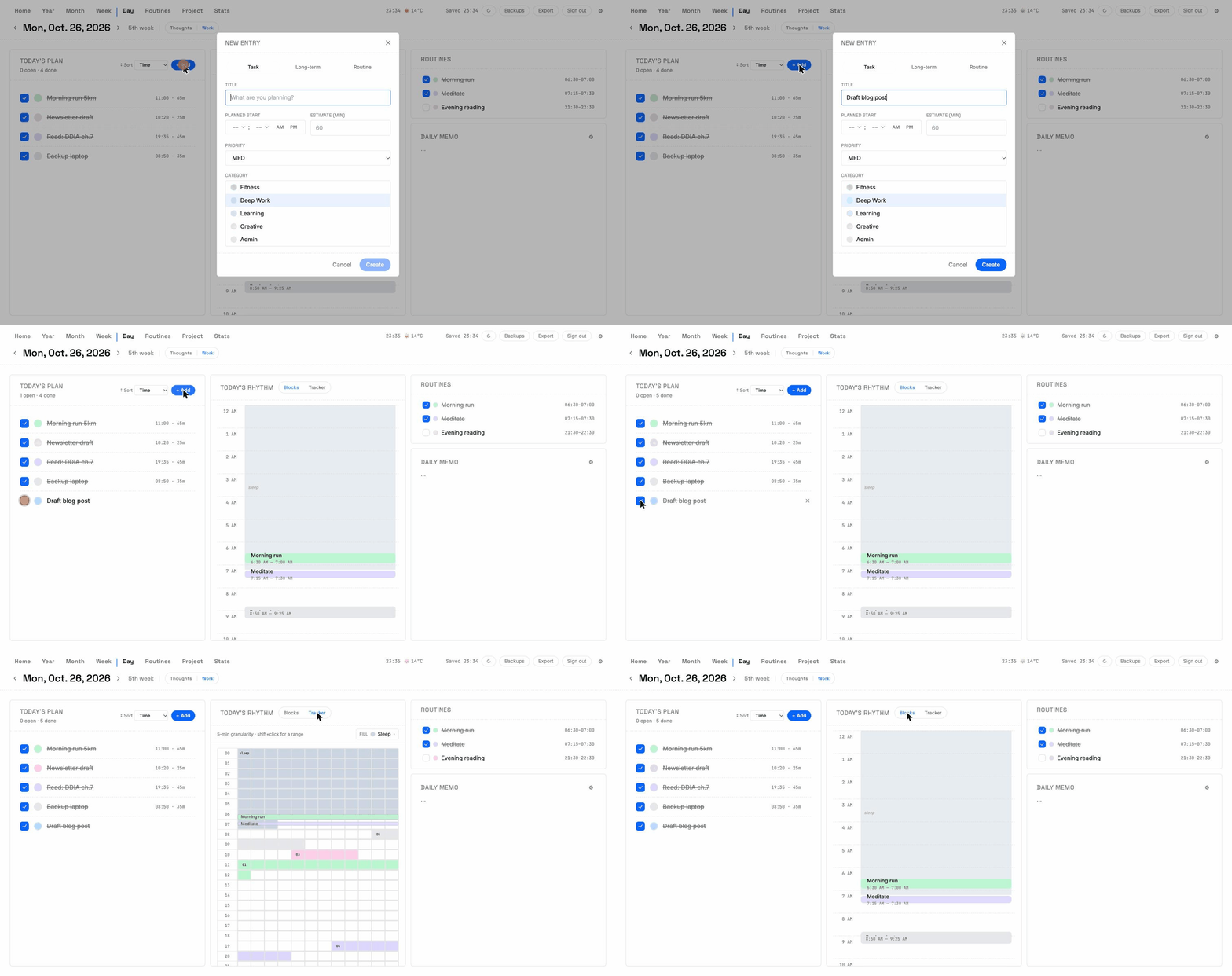
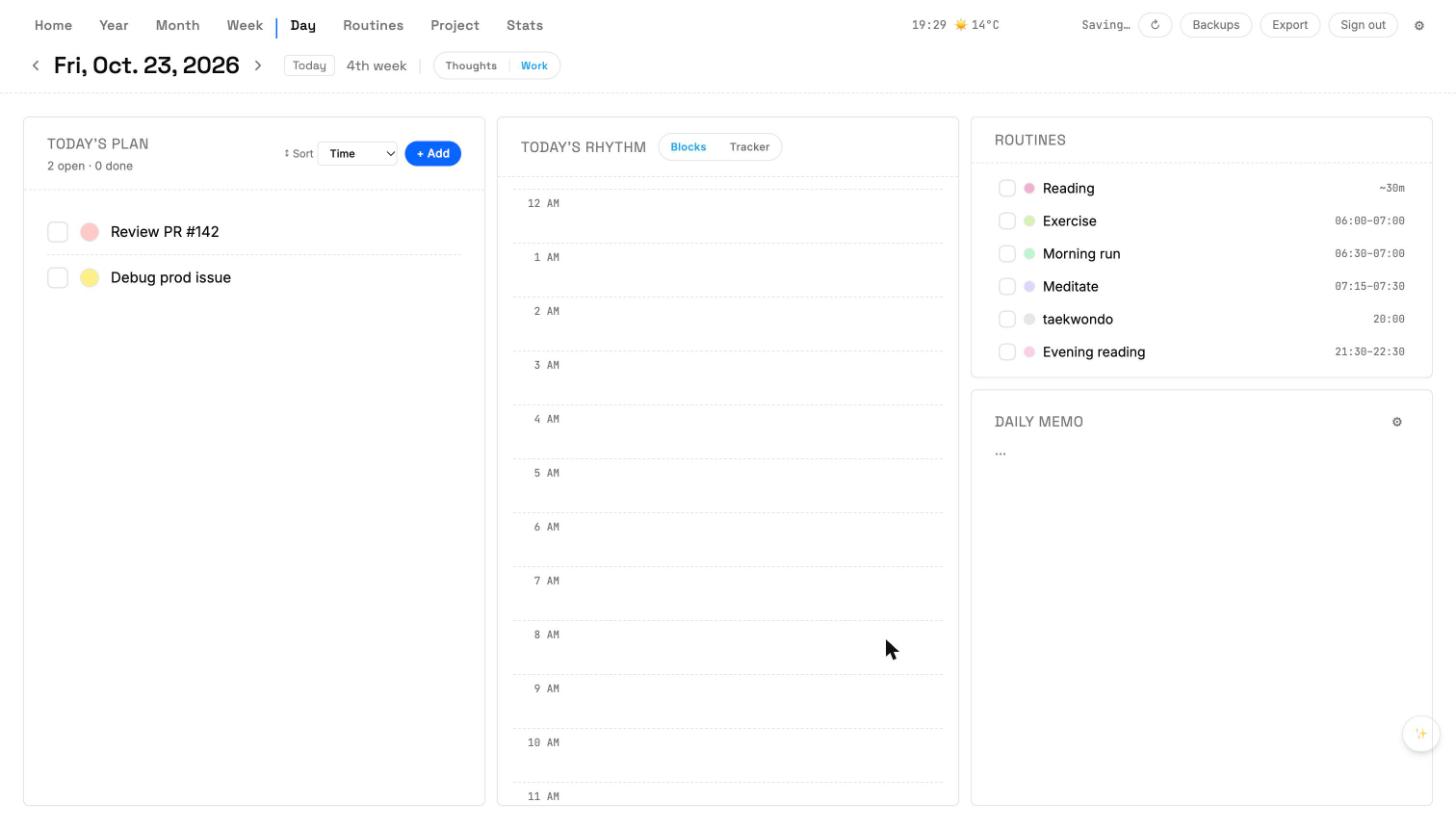
Today's Plan on the left, a 24-hour Rhythm timeline in the middle, Routines and Daily Memo on the right. Drag a task onto an hour to paint a time block. Switch to Thoughts tab for mood, sleep, and journal.
Week
Seven cards, one strategy.
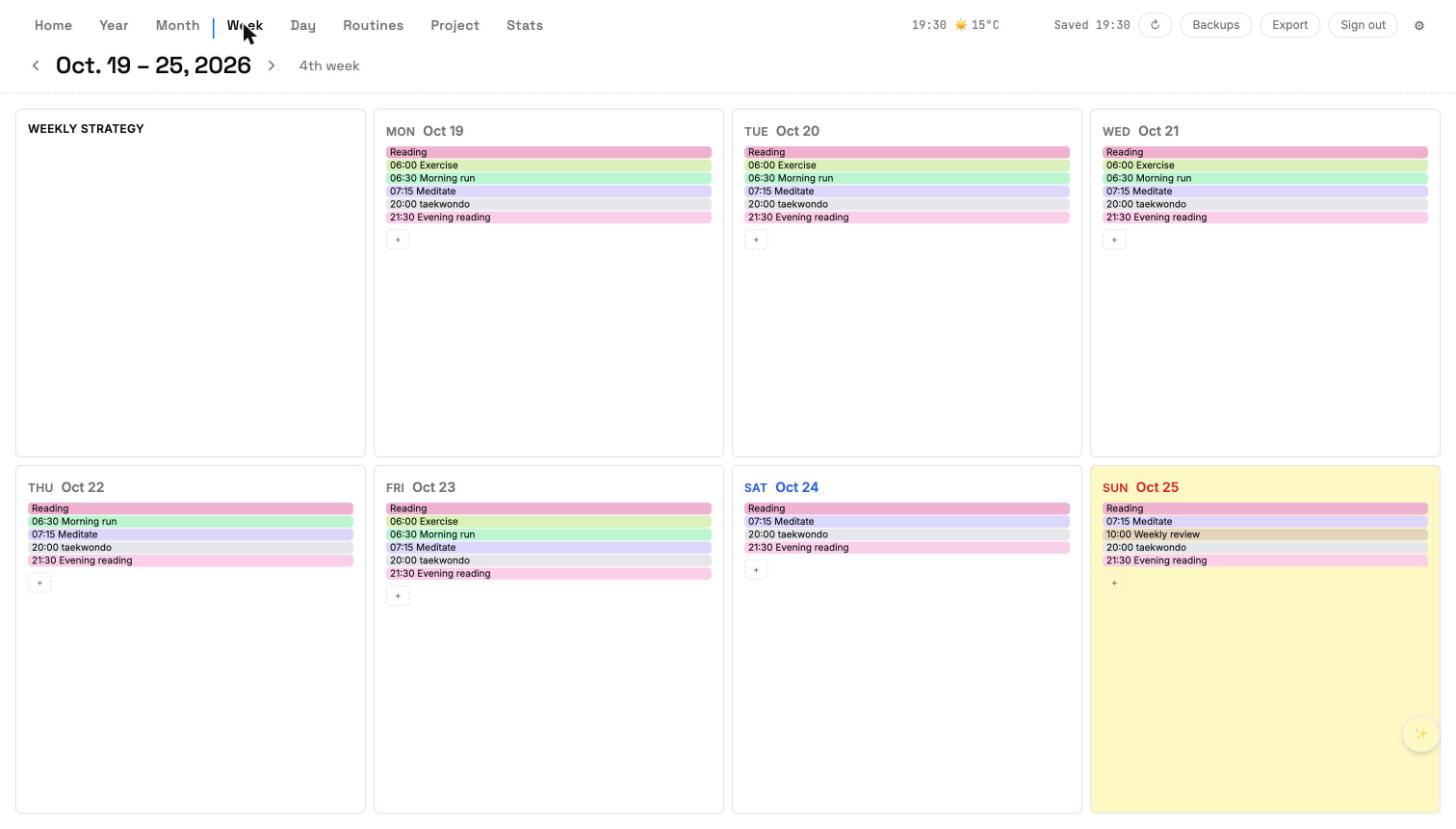
Weekly Strategy card sets the tone. Each day cell shows pinned routines and quick plans. Click a date header to jump into Day.
Month
A calendar that remembers.
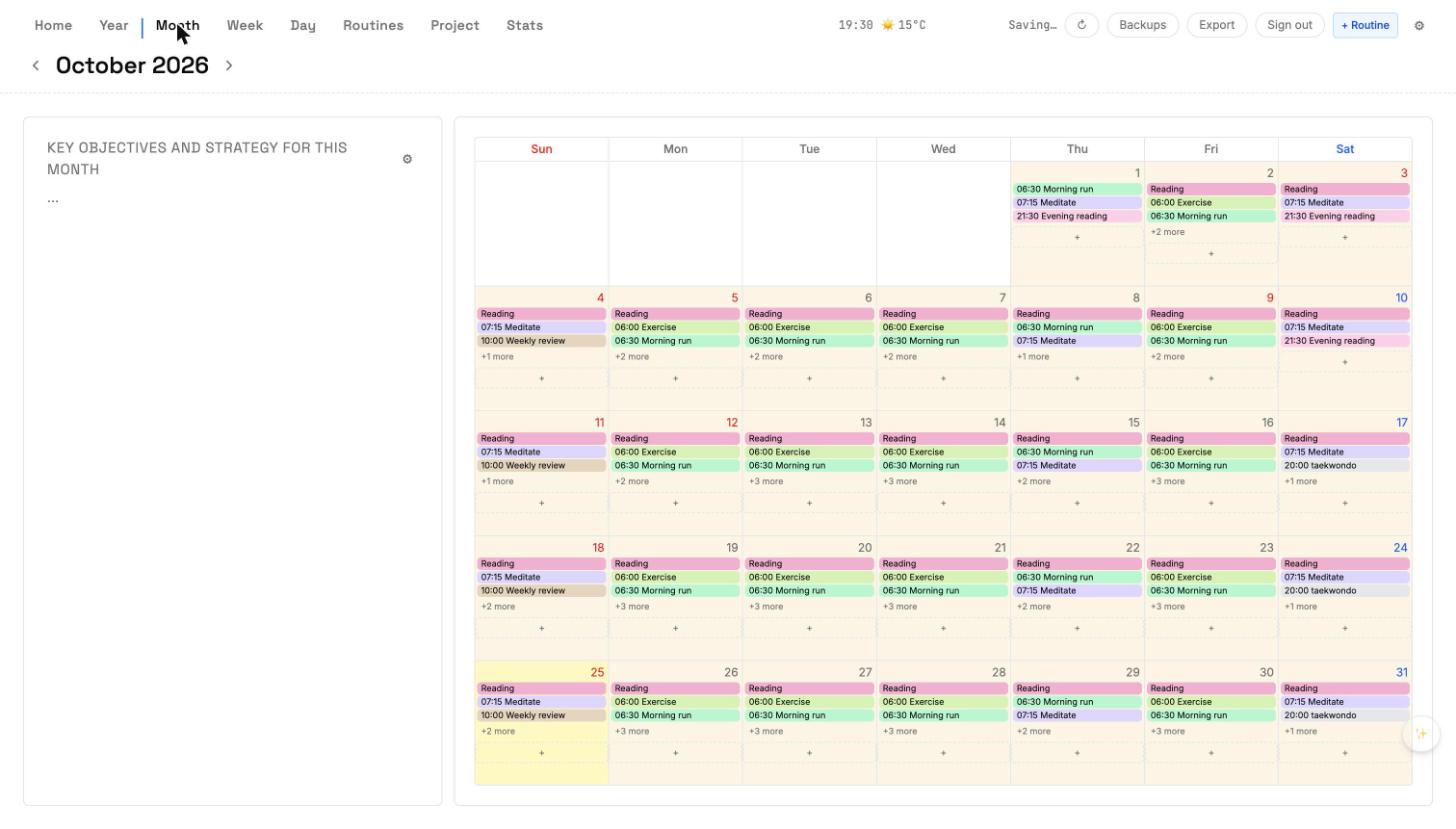
Key objectives for the month sit beside a classic 7-column calendar. Routines paint their day cells automatically; monthly date slots stay where you dropped them.
Year
Twelve rows for the big moves.
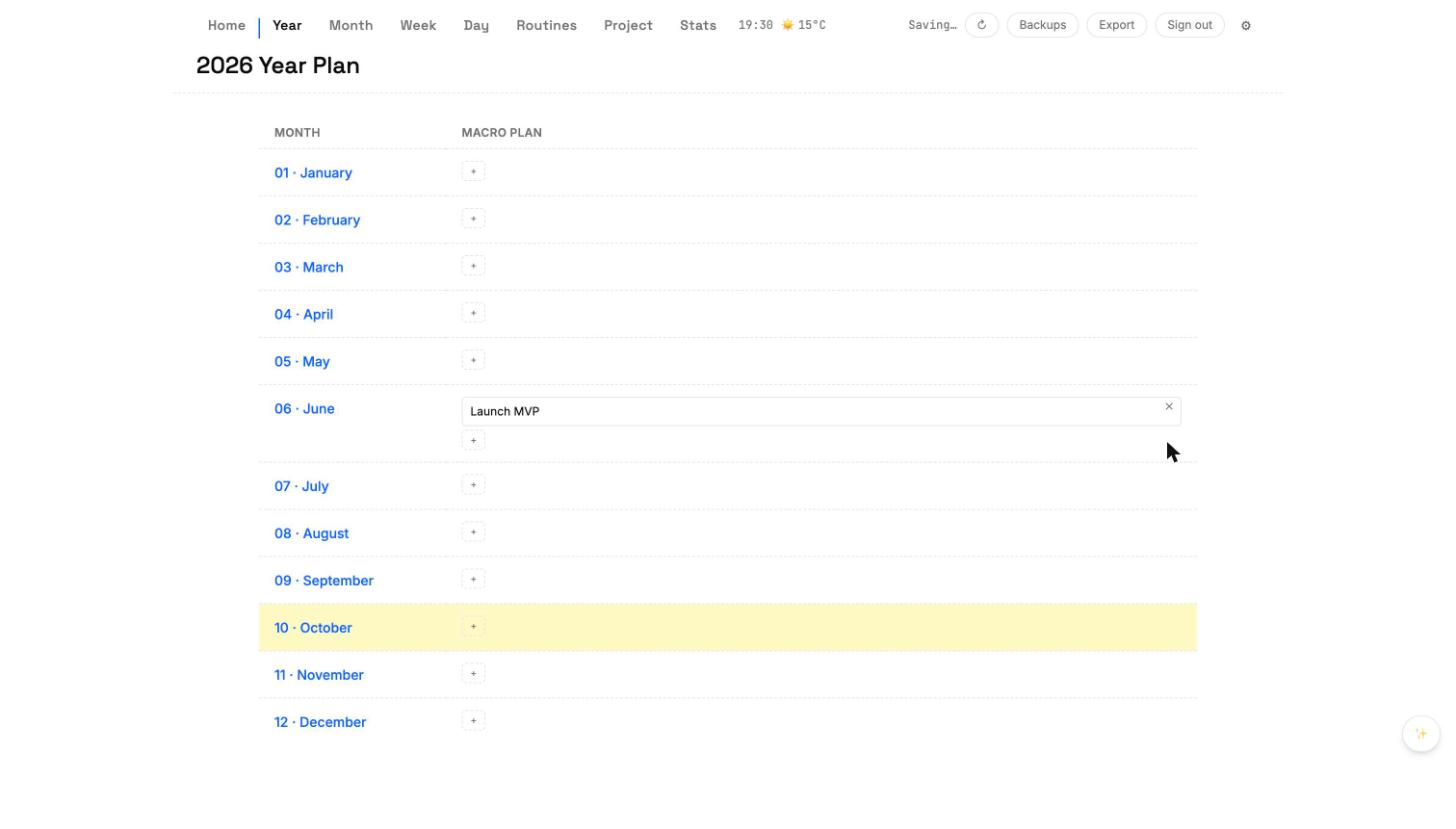
Each month row holds multiple macro plans. Add a start/end date and the plan cascades into every day in that range.
Project
Projects, broken into pieces.
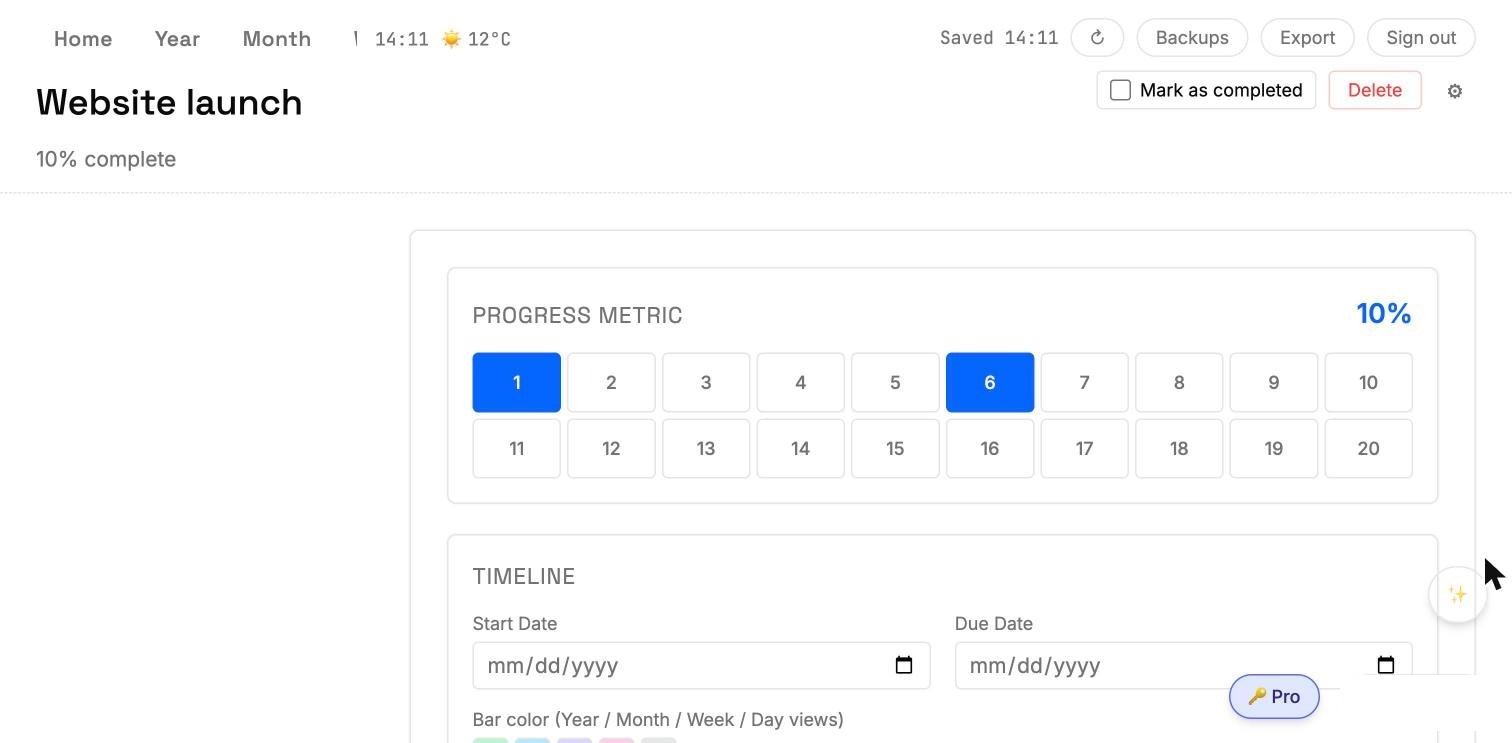
A product launch, a training plan, a reading list. Each project carries a 20-step progress metric, a start/due timeline, and nestable sub-projects whose progress rolls up to the parent.
Routines
Rhythms you can actually see.
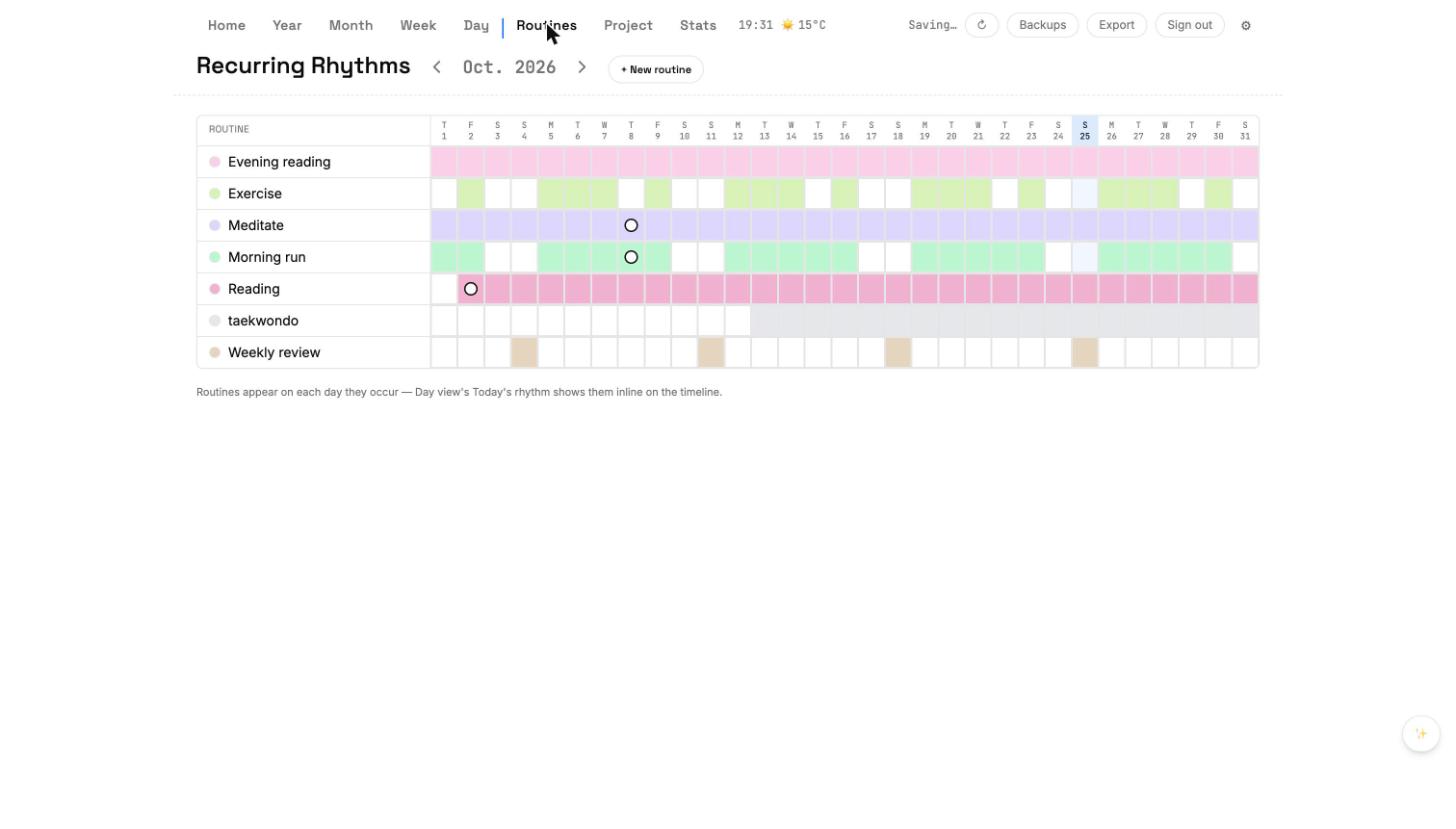
A per-month grid shows every routine and which days it hit. Click a cell to log the day; the Day view's Rhythm picks it up automatically.
Stats
What actually happened.
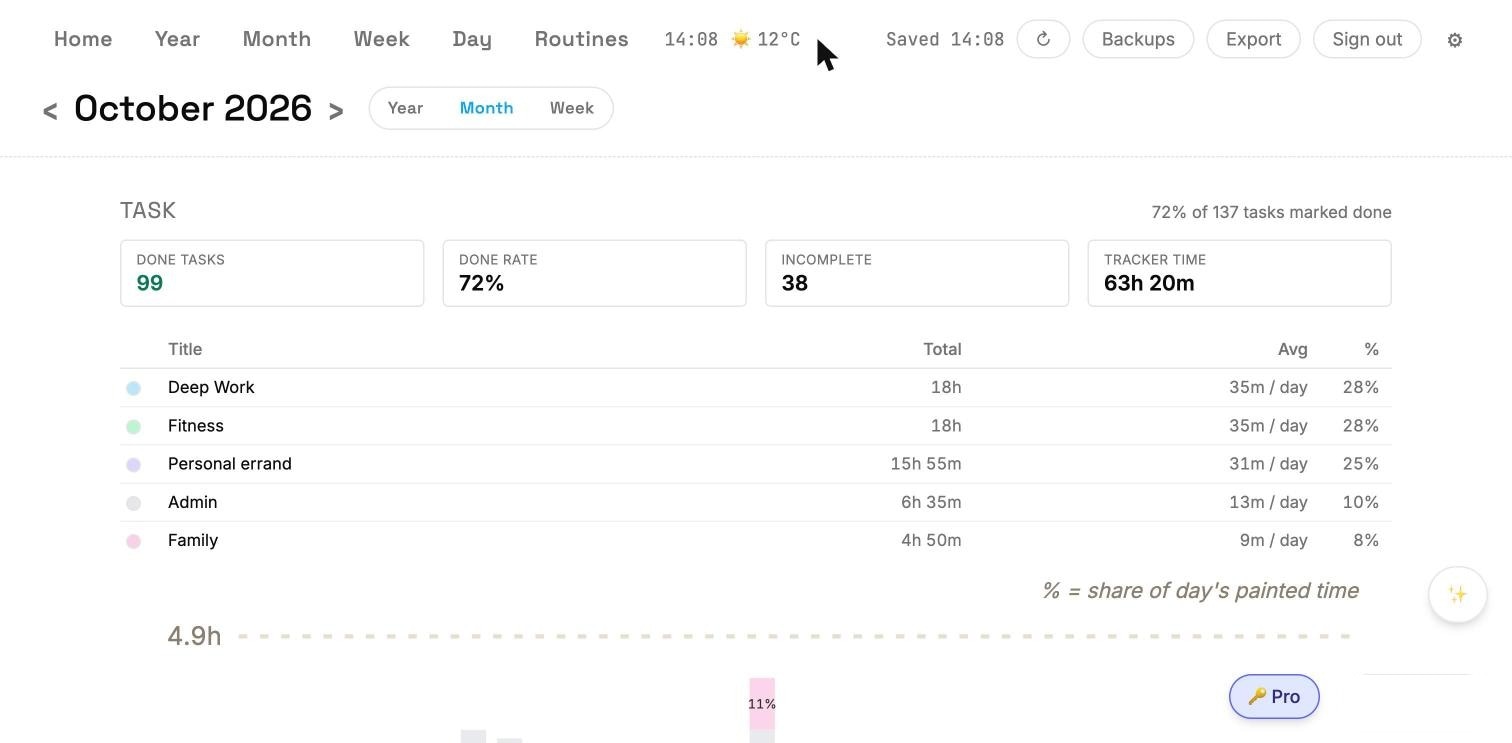
One page per period — Year, Month, or Week — summarizing Task, Routine, Mood, and Sleep. Nothing to configure; Cumulus charts whatever you've already entered.
Data safety
We'd rather pause than guess.
Cumulus was built around a single rule: never silently lose a user's edit. Everything else — the slot-level merge, the 60-day deletion markers, the 15-day grace prompt — is engineering plumbing in service of that promise.
Slot-level merge
Edit the same month on two devices? We merge by individual slot, not by whole container. You can't erase someone else's change by ticking a different box.
60-day deletion markers
Delete a plan on your laptop and your phone-that-only-opens-on-weekends still catches up for two months. After 60 days the marker is cleaned up.
15-day grace dialog
If a device has been offline more than 15 days and has unsynced edits, we ask before merging. You choose: pull from cloud, push local, or decide later.
Pricing
Pricing is on the way.
Cumulus will have a Free tier, a one-time Local Lifetime option, and Pro tiers with cloud sync and AI assistance. Everything is in final testing — sign-up opens with launch. Until then, the Mac desktop app is available to download and run against a local database.
Common questions
Before you download.
Does Cumulus work offline?
Yes. Every change saves to your device first and syncs to the cloud only when you're online. You can plan on a flight or at a cabin with no wifi and nothing will be lost.
What happens to my data if I stop paying?
Pro features (cloud sync, AI assist) stop, but your data stays on your device. Export JSON any time to keep an archive outside Cumulus.
Can I use Cumulus on more than one device?
Yes. Sign in on any device and Cumulus merges your plans by edit time. If a device has been offline more than 15 days, we check in before merging.
Is there a Windows version?
Not yet. Mac desktop (DMG) is first; Windows build is on the roadmap. Web PWA works on any browser in the meantime.
What does the data safety guarantee look like?
See /data-safety for the detail: slot-level LWW merge, 60-day deletion markers, 15-day grace dialog, daily auto-backups, manual snapshots, JSON export.